
Corporate AI training for teams
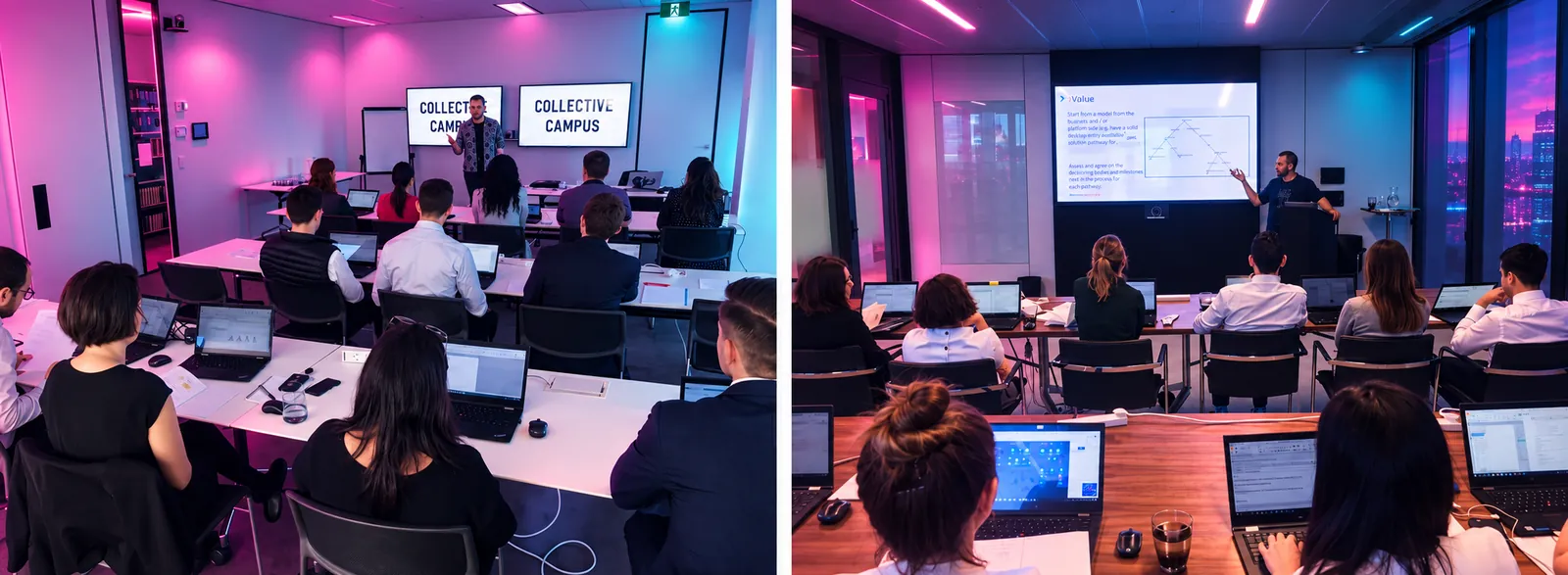
Corporate AI training is hands-on capability building for a team that already has work to do. People practise on a live task from their own role, using tools the organisation has approved, and they leave able to run that task again with a check a person still owns. It is not a tool tour and it is not a keynote. Collective Campus runs it in-house in Sydney, Melbourne and Brisbane, or remote, and shapes it after an initial conversation.
- Tailored to your team
- Sydney, Melbourne, Brisbane
- In person or remote
Quick answer
What is corporate AI training?
The useful version is capability building. A team brings a workflow it already runs, practises that workflow with the tools it is allowed to keep, and writes the check a person still does before the work goes out. The point is the next real occurrence of that task, not a certificate and not a slide about the future of work.
A catalogue of tool features does not do this. Neither does an all-hands demonstration where everyone watches the same prompt. Legal, finance, people and culture, marketing and operations do not share a task, and a mixed room slides back to generic examples. We group people by the work they do, then tailor the examples after an initial conversation.
Collective Campus has built capability with teams since 2015. AI training is one part of that work. It sits beside design thinking, critical thinking and governance, and it stays vendor neutral. Copilot, ChatGPT, Gemini and Claude appear on this page as examples of the kind of tool a team may already be allowed to use. They are not endorsements, and we do not prefer one of them for a fee.
The problem
Where AI training for teams stalls
Most organisations we speak with are past the announcement. Licences are on, a policy is drafted or overdue, and the week still looks the same. The stall is rarely a lack of interest. It is a missing workflow, a missing check, and a room that was never asked to produce anything.
The working week has not changed
People can open a tool. They draft a one-off note, then return to the handover, the pack, the matter or the campaign that fills the day. Until that recurring task changes, the organisation has bought access, not capability.
Too many tools and no first workflow
A long list of products is not a curriculum. The session needs one workflow the team already owns, the data that must stay out of a public tool, and the person who can say the output is fit to send.
Risk is unnamed, so nobody starts
Accuracy, privacy, client material and intellectual property are real constraints. Leaving them as a general worry freezes the team. Writing the rule for one workflow lets people move without pretending the risk is gone.
Leaders ask for adoption they do not practise
Staff copy the manager's week. If leaders want the tool in the work, they need a session on their own tasks before they set the expectation for everyone else. That is a different room from a staff workshop, and we keep the two apart.
Who it is for
Who corporate AI training is for
The room is chosen by role. We do not publish a headcount. A single function, a leadership group, people who share one workflow, or several teams that need the same habit are all in scope. Several teams usually need a programme afterwards, not one mixed session. A mixed room of unrelated jobs is the format we will not run.
Leaders
Executives and directors who need to do a piece of the work they will ask of others, and to leave with a written expectation. The longer path is the Leadership Team AI Immersion.
Managers
People who can change how a function spends the week. They practise on their own tasks, then name the check the team will use before work goes out.
Staff who share a workflow
People whose job is research, drafting, analysis, coordination or a service step. If they can use email, they can do the exercises. The examples come from their role, not from a generic prompt list.
One function at a time
Legal, finance, people and culture, marketing, operations and public service each get different tasks and different risks. We tailor the day to the function in the room.
Risk, legal and the policy owner
When the question is what may enter a tool, those people should be in the conversation. Everyday practice for staff is the AI governance workshop. The board and risk programme is separate.
Teams outside Sydney, Melbourne and Brisbane
We deliver in person in those three cities first, and remote for teams elsewhere. The work is the same. The room is still built around one workflow.
Outcomes
AI training outcomes for your team
These are the outcomes we build the session towards. They are concrete things a team can point at afterwards. They are not a productivity claim, and they are not a score we invent after the fact.
One named workflow
The team leaves with a workflow it already runs, mapped as steps, including the step a person still has to check. The map is specific to the role in the room.
A shortlist of uses
High value and lower risk, written against that workflow. Uses that need client, customer or resident data in a public tool are marked as out, not as a later experiment.
A prompt pattern the role can reuse
Role, source, constraint and the output they need. The aim is a draft a reviewer can mark, not a generic paragraph nobody will send.
A check a human still owns
What gets verified, against which source, and who says the work can go. The model does not own the decision.
A written data rule
What may go into the approved tool, what must stay in the file, and who can grant an exception. The rule is in the team's words.
Practice on a live task
Each person produces an output on dummy or approved material, then marks what they would not send. Watching a demonstration does not count.
A catch on a weak output
The room sees a confident wrong answer and has to find it. Capability includes knowing when the tool has failed.
A keep, change or stop call
The sponsor in the room says whether this use continues, changes, or stops. A workshop that cannot support that call has not finished.
A next step with an owner
One person owns the workflow after the session. If the habit has to spread, the path is a programme, not a larger slide deck.
Sample agenda
Sample shorter AI training agenda
Sessions are the sequence. We do not promise a clock time. Length and depth are tailored after an initial conversation.
The shorter format is for a team that can bring one live workflow and needs to leave able to run it once, with the check written down. It is the shorter of the two sample agendas on this page. It is not a lesser version of a keynote.
- Session 1
What the tools do well, and where they fail
We start from the task the team brought, not from a history of the technology. People name what they already believe the tool will do with that task. We then show a plain success and a plain failure on work of that kind, so the belief can be checked against an output.
- Session 2
Map the workflow and the check
The team writes the steps as they happen today, the handoff, and the data that must not be pasted into a public tool. Someone is named as the person who still reviews the output. If that person is not in the room, the map says so, and the sponsor decides whether the session can still produce a usable rule.
- Session 3
Practise on the task
Everyone produces an output on dummy or approved material, in the tool the organisation has approved. The pattern is role, source, constraint and the shape of the answer. People then mark the lines they would not send, and say what they checked.
- Session 4
Write the rule and the next use
The room agrees what is allowed on this workflow, what stays out, and who answers when the case is unclear. The sponsor says keep, change or stop. People leave with the next real occurrence of the task, and the name of the person who owns it.
Sample agenda
Sample longer AI training agenda
Sessions are the sequence. We do not promise a clock time. The longer format adds a second pass, a deliberate failure, and a written plan. It is still tailored after an initial conversation.
The longer format is for a team that can stay with one workflow long enough to practise twice, including once on an output the tool gets wrong. Use it when managers and the people who do the work can be in the same conversation. It is not eight lectures.
- Session 1
Separate a draft from a decision
The team names the workflow and the decision a person still has to defend. We draw the line between a draft the tool may help with and a call the tool must not make, in the words of the function in the room.
- Session 2
Map the workflow, then the rework
Steps, handoffs and the data rule, as in the shorter agenda. The second pass marks the step that creates the most rework. That step is the one the practice will use.
- Session 3
First practice on the real task
Each person produces a first output on dummy or approved material. The reviewer in the room, where the team has one, says what would be sent back. The point is a draft a colleague can mark, not a polished sample we prepared.
- Session 4
Prompt patterns for this function
We tighten the pattern against the function's own documents: a matter note, a variance comment, a position description, a campaign brief, a procedure, a resident reply. The pattern includes the source the person must still open, so the tool is not asked to invent the file.
- Session 5
A task the tool gets wrong
The room works an example that looks finished and is not. People have to find the error, name the check that would have caught it, and say what they will do when the next confident wrong answer appears in their own work. This is the session that separates practice from a demonstration.
- Session 6
Data, privacy and the organisation's rule
We apply the rule to the same task: what may enter the approved tool, what stays in the system of record, and how a person flags that a tool was used. An existing policy is used as written. If there is no policy, the room writes a one-workflow rule and names the owner of exceptions.
- Session 7
What the manager will ask next
Managers write the question they will ask when someone brings AI-assisted work: what was checked, against which source, and what stayed out of the tool. Staff hear the question in the room, so the standard is visible rather than announced later.
- Session 8
The plan the sponsor will keep
One workflow, one owner, one check, and a keep, change or stop call. If the organisation wants the habit to spread, we name the programme path: champions, the AI Adoption Sprint, leadership immersion, governance, or online practice. We do not leave a binder of unused notes as the plan.
By function
AI training outcomes by function
The agenda stays stable. The task changes with the function. A finance officer and a campaign manager do not share a job, and we do not pretend that one example serves both. Industry pages go further where we have them.
Tools in these examples are illustrations. The session uses the product the organisation has approved. If that product is Copilot, ChatGPT, Gemini, Claude, or a specialist tool we have not named here, the practice is built on that product. We do not swap in a favourite.
Legal
Lawyers practise on a matter type the firm brings: a research note, a first draft from a precedent, a comparison of clauses, or a meeting note. The check is citation, fact and privilege. What may leave the file is written down before anyone pastes a bundle into a tool. The public page for this is AI training for law firms, and the wider legal work sits on workshops for law firms.
Finance and insurance
The desk picks one workflow: a variance note, a management-pack commentary, a claims summary, or a credit narrative. Someone still signs the number. The rule covers customer data and the obligations the institution already answers to. See AI training for banks and insurers and workshops for financial services.
People and culture
Typical practice is a position description, an interview guide, a policy in plain language, or a first pass on an internal note. The decision about a person stays with a person. The session writes what employee information must not enter a public tool, and who reviews a draft before it is used in a process that affects someone's work.
Marketing and communications
The team practises a brief, a first draft, or a small set of variants for a campaign the organisation is actually running. The check is the claim, the brand and the source. A fluent paragraph that invents a proof point is a failed output, and the room treats it that way.
Operations
Practice lands on a procedure, a handover, a meeting note that has to drive a next step, or an exception list. The gain is a step the team repeats. We do not spend the session on a novelty task that will not appear again next week.
Government
Councils and agencies practise a resident reply, a briefing note, or a service step that does not require a public record to be pasted into a public tool. The officer who owns the reply still owns it. See AI training for government and workshops for government.
Property
Advisory and asset teams practise a report narrative, a client update, or an internal workflow they already run, with the professional standard still on the person who signs. The published AI example in this sector is the M3 Property sprint, described below, which is a design sprint rather than this workshop. The industry page is AI training for real estate.
Healthcare
We do not put clinical decisions in a tool. Practice, where a health team asks for it, stays on non-clinical drafting with a written ban on patient information in a public product, and with a clinician owning any call that touches care. The industry overview is workshops for hospitals, health services and insurers. There is no separate health AI training URL yet.
Tools
Copilot, ChatGPT, Gemini and Claude as examples
We are vendor neutral. The four names below are examples of general tools teams ask about. Naming them is not a recommendation, a ranking or a certification. We teach on the tool the organisation has approved and that people can still open after we leave. If the policy names one product, that is the product in the room. If the policy names none, the scoping call decides the boundary before any real work is pasted into a public tool.
Specialist tools, including products a firm has already licensed for legal or other professional work, are in scope when the team can use them on the day. We will not spend the session touring products the organisation cannot keep.
Microsoft Copilot
An example, not an endorsement. Useful to discuss when the organisation is already in Microsoft 365 and the work lives in documents, mail and meetings the team is allowed to connect. The M3 Property write-up, below, records prototypes built in Copilot because that firm had already given people access. That is their context, not a standard package.
ChatGPT
An example, not an endorsement. Teams ask about it for drafting and structuring when that product is the approved path. The same checks apply: source, fact, and the data that must stay out. Approval is the organisation's decision, made before the session, not a suggestion from us on the day.
Gemini
An example, not an endorsement. Relevant when the approved suite is Google and the work already sits in that suite. We do not move a team onto it for the sake of a demonstration, and we do not compare logo lists as if the logo were the skill.
Claude
An example, not an endorsement. Teams ask about it for longer documents when that product is approved. The skill we teach is still the workflow and the check. A different model does not remove the need for a person who can say the output is wrong.
Programme paths
Programme paths after the workshop
A workshop builds skill on one workflow. A programme is how that skill spreads or gets measured over time. The paths below already exist. We link them so a buyer can see the difference, and we agree the path after an initial conversation rather than selling a bundle on this page.
The full list lives on AI programs. For a buyer's comparison of provider types, the published guide is how to choose an AI training provider. For what a single day should leave behind, see what a corporate AI training day should produce.
AI Champions Program
For when a few keen people are not enough. The programme names internal champions, writes a one-page charter, and follows the cohort with a monthly community so examples can travel past the early adopters. It is the path when peer support needs an owner.
AI Adoption Sprint
For one or two teams that already have the tools and need the workflow redesigned, not only demonstrated. The programme records proficiency and time on the chosen work at the start and again at the end. The name describes that programme. It is not a length we promise for the workshop on this page.
Leadership Team AI Immersion
For an executive team that has approved the spend and is not yet using the tools on its own work. Leaders do a piece of the work they will ask of others, write the expectation, and can follow it with quarterly briefings for the executive team and the board.
AI Governance Program
For the board, the executive team and risk. Working sessions that leave a policy, acceptable-use rules, named owners and a framework. Staff who need to practise everyday use book the separate AI governance workshop, not this board programme.
Online AI training
A branded learning platform for the industry and the tools the team already uses. Short lessons, workflows from the roles, and a record of progress. It can stand alone or sit beside a workshop, a champions cohort, a sprint or a leadership immersion. It does not replace practice on a live task when the team has never done that work together.
Next step
Book a scoping call
Tell us the workflow, the function, the city or the remote setup, and which tools people are already allowed to use. We will shape the session after that conversation. There is no standard fee and no standard length on this page.
How it runs
How corporate AI training runs
Four moves, in this order. We do not start with a slide deck and hope the work appears at the end.
- 01
Scoping call
A discovery conversation. We ask which workflow should change, who does that work, which tools are approved, what data must stay out, and who can say an output is fit to send. If those answers are not ready, the call is still the right first step. Book it from this page.
- 02
Tailoring
We build the examples from the function in the room and from material the organisation is willing to use. That material is dummy data or approved data. We do not ask a team to paste client, customer, patient or resident records into a public tool so the exercise looks realistic.
- 03
Delivery
In person in Sydney, Melbourne or Brisbane, or remote for teams that are not in the same room. People produce the output. Facilitators work the room. A recording of a talk is not the delivery, and a slide-only session is not something we will agree to run.
- 04
Follow-up
The team leaves with the written check, the owner, and the keep, change or stop call. Where the organisation wants the habit to last, we connect the workshop to a programme path above. We do not invent a follow-up timetable on this page. The shape of any later work is agreed after the same kind of conversation.
Proof
Case studies from published work
We only cite work that already has a public write-up on this site. We do not invent clients, quotes or results. Two write-ups belong on this page because their copy supports an AI claim. They are not both this workshop, and we say so in the paragraph rather than stretching the label.
M3 Property is an independent property advisory firm with offices. The M3 Property case study says Collective Campus ran a one-day AI Design Sprint at the firm's annual staff conference. People already had Microsoft Copilot. Leadership wanted that access to change how work gets done, while protecting quality and professional standards. Teams mapped their own workflows, built working prototypes in Copilot and pitched them. The write-up records 20 ideas, eight pitches and two winners. Steve Glaveski led the day with Tessa Kowaliw. That session is an AI design sprint, not this training workshop. We cite it because the habit matches: practise on the firm's own work, with a tool the firm already has. Those figures belong to the sprint. They are not a training promise.
Glen Eira City Council, in Melbourne's south-east, is older and different. The Glen Eira write-up says the council wanted a stronger understanding of new technologies. The training covered automation, AI in the sense of chatbots and voicebots, and data. We do not describe it as training on today's generative tools, and we do not treat it as proof of a Copilot or ChatGPT workshop. A separate Glen Eira write-up is about design thinking, and we do not fold that in.
Other engagements with law firms, banks and councils are under our case studies. Where a write-up is design thinking, lean startup, customer experience or coding concepts, it stays there. Calling those sessions corporate AI training would be inaccurate. Sector-specific AI training is on the industry pages linked above.
Industries
Where the work changes by industry
The national workshop is this page. These links are the versions written for a sector, using only the constraints that sector already has.
Law firms
Matters, privilege and the judgment a lawyer still signs.
Banks and insurers
Customer data, a desk workflow, and a decision a person still owns.
Government
Resident services and the rule for public records.
Real estate and property
Advisory and asset teams, with the professional standard still on the person who signs.
Healthcare
Clinical calls stay with clinicians. The industry page sets that line.
Cities
Corporate AI training in Sydney, Melbourne and Brisbane
Australia comes first. The in-person cities for this workshop are Sydney, Melbourne and Brisbane. Collective Campus facilitates in the room in those cities, and remote when the team is split or based elsewhere in the country. We do not treat a city page as this national page with the city name swapped in. Each city page is the local version.
Sydney teams can book AI training in Sydney. Melbourne teams, including teams that want the session in the city where Collective Campus is based, can book AI training in Melbourne. Brisbane teams can book AI training in Brisbane. Tell us on the scoping call which room you want, or whether remote is the better fit. Other Australian cities can be discussed on that call. They are not the core three, and we do not pretend a page exists for a city until it does.
The same capability standard applies in each city. People bring a workflow, practise on dummy or approved material, and leave with a check a person owns. The local pages answer the practical questions about running the session in that city. This page is the full account of the workshop itself.
Where we run it
AI training in Sydney, Melbourne and Brisbane
Measurement
How AI training impact is measured
We do not publish a time-saved percentage for this workshop, and we do not borrow another engagement's figures as if they were a guarantee. The M3 write-up's 20 ideas, eight pitches and two winners stay attached to that sprint. Measurement here is whether the team can show the work.
Before the session, the scoping call names the workflow and the check that exists or does not. On the day, each person produces an output and the sponsor says keep, change or stop. Those artefacts are the record.
Afterwards, a named person can run the next real occurrence of the task, with the check written in the room. If that does not happen, the honest next step is a programme with an owner, not another demonstration.
Where the organisation chooses the AI Adoption Sprint, that programme repeats a proficiency measure and a time measure on the same work at the start and at the end. Those measures belong to the sprint. They are not silently included in a single workshop. Online practice can add a progress record of lessons finished. Finished lessons are not the same thing as a workflow that changed.
Boundaries
What we will not do
Buyers comparing providers usually need the refusals as much as the agenda. These are ours. They do not change because a room would prefer a lighter session.
No demo days
We will not run a session where people watch a facilitator use a tool and then leave. If the team does not produce an output, it is not this workshop.
No slides-only delivery
Slides may frame a point. They do not carry the session. A lecture about AI, with no task from the team's week, is out of scope.
No tool endorsement
We will not tell an organisation that Copilot, ChatGPT, Gemini or Claude is the right product for everyone. We will not take a position that depends on a vendor relationship. The approved tool is the organisation's choice.
No published fee or headcount
We will not put a price, a pack size or a group size on this page. The work is tailored after an initial conversation. That is the whole answer to the commercial question until that conversation happens.
No invented proof
We will not add clients, quotes, logos or statistics that are not already in a published write-up. If the public AI record is thin, we say so, as we have with the case studies above.
No confidential data in a public tool
We will not ask people to paste client, customer, patient or resident material into a tool the organisation has not approved, for the sake of a realistic exercise.
No decision handed to the model
We will not teach a workflow in which the tool's answer is the decision. Drafts can be assisted. The person who is accountable still decides.
No mixed room of unrelated jobs
We will not put a finance team and a marketing team through the same generic prompt list and call it tailored. Role-based practice is the work. A town hall is a different product, and it is not this one.
Further reading
How to judge the day before you book it
Two published pieces sit next to this page. How to choose an AI training provider is the buyer's comparison. What a corporate AI training day should produce is the test for a single day: a named person, a real task, a prompt and a check. Role-based AI training is why we refuse the mixed room. None of these is a substitute for the scoping call.
Staff, managers and finance readers who want the narrower essay can use generative AI training for employees, AI training for managers and AI training for finance teams. Leaders can read AI training for executives before the immersion path.
FAQ
Corporate AI training questions
What is corporate AI training?
Hands-on capability building for a team that already has work to do. People practise a live task from their own role, on tools the organisation has approved, and leave able to run that task with a check a person still owns. It is not a keynote or a tool tour. Collective Campus runs it in Sydney, Melbourne and Brisbane, or remote, and shapes it after an initial conversation.
What will staff be able to do afterwards?
A named person should be able to run the next real occurrence of the workflow the room practised, with a prompt pattern, a written check, and a rule for what must not enter the tool. They will also have practised catching a confident wrong answer. The outcome is one workflow with an owner, not a general tour of every product on the market.
Which tools do you train on?
The tool the organisation has approved and people can still open after we leave. Copilot, ChatGPT, Gemini and Claude are examples, not endorsements, and we do not rank them. A specialist tool is in scope when the team can use it on the day. We will not tour products the team is not allowed to keep.
Can it run in-house in Sydney, Melbourne and Brisbane?
Yes. In-house in Sydney, Melbourne and Brisbane, and remote for teams elsewhere. Tell us which room you want on the scoping call. Collective Campus is based in Melbourne. Delivery in Sydney and Brisbane is in person as well.
How is it tailored?
After an initial conversation we build the session around one workflow, one function and the organisation's rule for data. Examples come from that work. A legal team does not sit through a marketing brief. Tailoring is the task, the approved tool and the check the reviewer uses.
Do you cover AI safety and governance?
Yes, for the workflow in the room: what may enter a tool, what stays out, and how to check an output. A policy and named owners for the whole organisation are the AI Governance Program. Everyday practice against a policy that already exists is the AI governance workshop.
How do you measure results?
Before the session we name the workflow and the check. On the day each person produces an output and the sponsor says keep, change or stop. Afterwards a named person can run that task with the written check. We do not publish a time-saved figure for this workshop. Proficiency and time measures belong to the AI Adoption Sprint, on that programme's own page.
How is it priced?
It is tailored after an initial conversation. We do not publish a fee on this page, because format, function and preparation all change the work. Book a scoping call and we will shape it with you.
Do we need technical skills?
No. If someone can use email and the documents their job already requires, they can do the exercises. We do not teach model architecture or software engineering. A team that wants a prototype of a new product, rather than skill on an existing workflow, should look at an AI design sprint.
Is our data safe in the session?
We work with dummy or approved material. We will not use confidential client, customer, patient or resident data as the exercise. If the organisation's rule is not written yet, the session writes it for the one workflow and names who can grant an exception.
Can you tailor it to one function?
Yes. That is the default. Legal, finance, people and culture, marketing, operations and government each get different tasks. We decline a mixed room of unrelated jobs, because the examples collapse. Separate sessions, or a programme, can cover more than one function after the scoping call.
How does the shorter format differ from the longer format?
Both agendas are sequenced as sessions, not as a clock. The shorter format maps one workflow, practises once and writes the rule. The longer format adds a second pass, a task the tool gets wrong, the manager's question and a plan the sponsor keeps or stops. Neither has a promised duration. We agree the format after an initial conversation.
Is online AI training enough on its own?
Online AI training can teach the approved tool in the language of the team's industry and carry practice between live sessions. It does not replace a room in which people produce a check together for the first time. Start with the workshop or a programme, and use online practice to keep the habit.
What will Collective Campus not do?
We will not run a demo day or a slides-only lecture, endorse a single vendor, publish a fee or a group size, or invent clients. We will not put confidential material into a public tool for the exercise, and we will not hand the decision to the model. The boundary section above is the full list.
Is there a standard length?
No. The sample agendas show a shorter sequence and a longer sequence without a clock time. Depth is tailored after an initial conversation. The 90-Day AI Adoption Sprint is a different programme, described on its own page.
Clients
Organisations we have worked with
Collective Campus has run training, workshops and programs for organisations including AGL, Allens Linklaters, Asahi Beverages, Australian Unity, the Australian Association of Social Workers and BNP Paribas.
Related programs
When the next question is governance or judgment
Facilitator
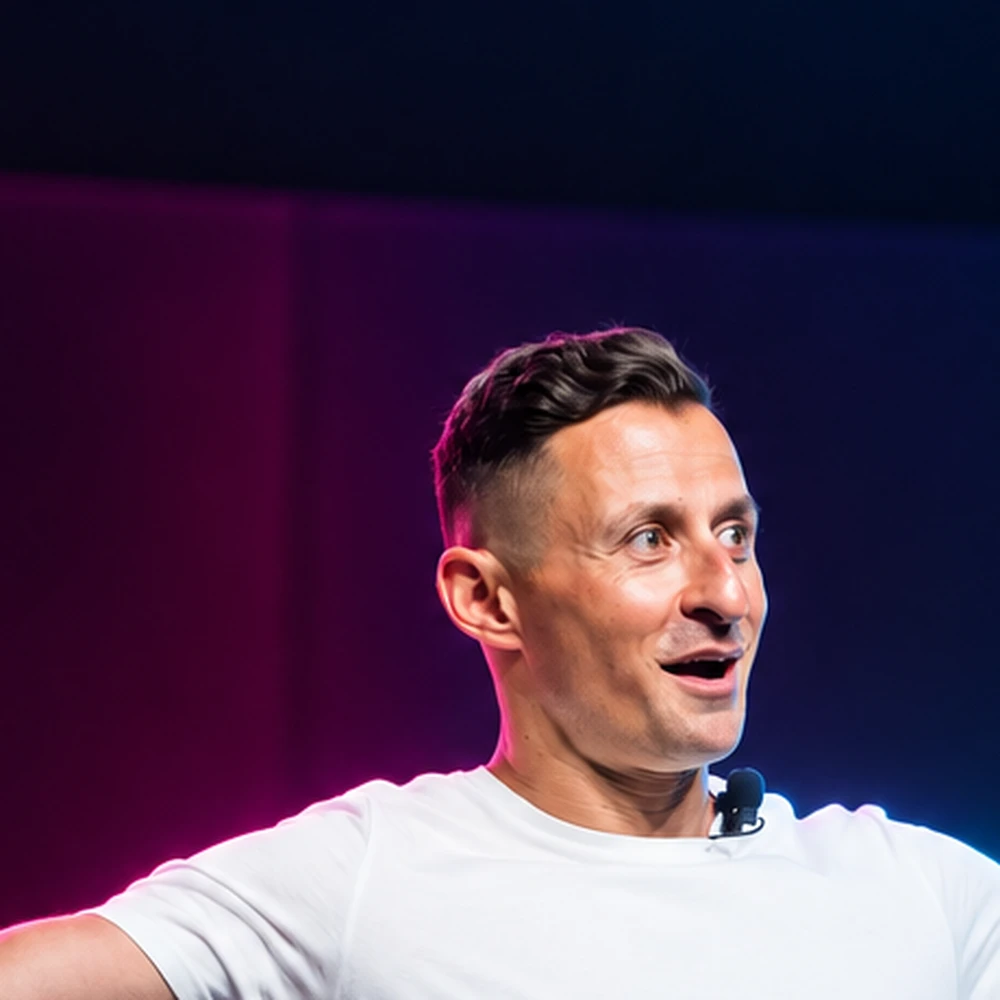
Steve Glaveski
Founder of Collective Campus, 2× Wiley author and HBR contributor on AI and the future of work. Steve has helped 100+ organisations adopt AI and innovation responsibly, and he runs these programs himself.
Ready to move from talk to shipping?
Tell us how your team works, we'll shape the day around it.